


Age of Empires Mobile
4.210.06K Reviews
App Specs
- Version
- 1.13.101.0
- Updated On
- License
- Free
- Downloads
- 10,000,000+
- Developer
- Level Infinite
- Categories
- Strategy
- Platform
- Android, iOS
Screenshots
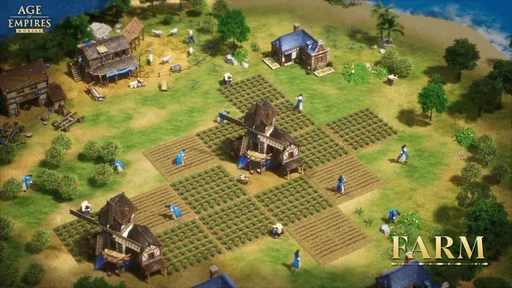
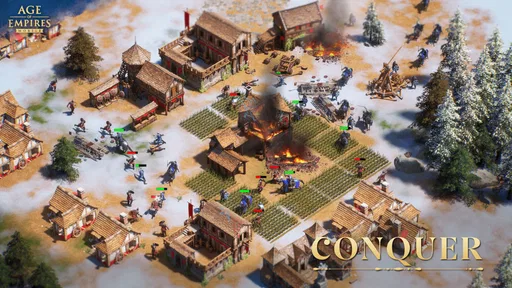
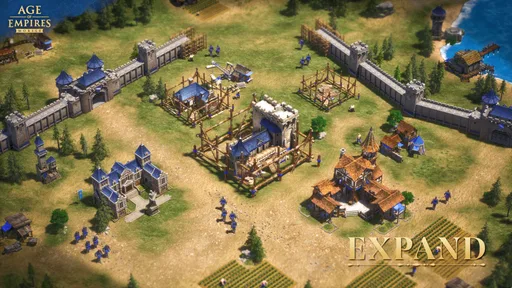
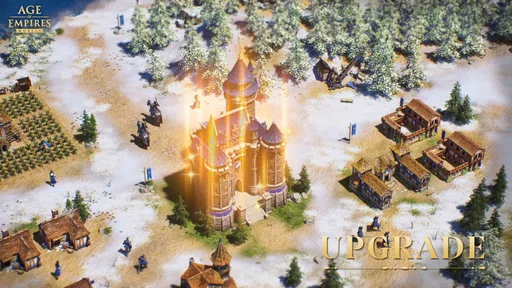
 Analysis by AppCompare
I approached Age of Empires expecting a pocket-sized version of the PC games I remember, but it makes more sense to judge it as a mobile strategy game in its own right. Its familiar medieval setting gives me an easy way into the experience, while the mobile format asks for a different pace and kind of commitment. I enjoyed the sense of building toward something, though anyone hoping for a direct copy of the classic real-time matches should adjust their expectations.
How it plays on a phone today
The game is a free strategy title from Level Infinite, released on October 15, 2024. It has a 4.1 average from around 397,000 ratings and more than 10 million installs, so it has clearly found a sizable mobile audience. It is rated Teen, runs on Android 5.0 or later, and its current version is 1.10.101.0. Those details help set expectations, but the more important question is whether its mix of empire-building and competition suits the way you like to play.
The moment I fired up Age of Empires Mobile, I was thrown back to the good ol' days. The nostalgia is real, folks. The interface is sleek and modern, but it still has that familiar vibe we all know and love. It’s like meeting an old friend who's had a bit of a makeover—comfortable yet fresh.
The game kicks off with a tutorial that’s actually quite helpful. If you’re a newbie, it’s got your back. For the seasoned players, it’s a quick refresher before you start ruling the world again. The controls are intuitive, designed with touchscreens in mind, which I find a huge plus.
Getting comfortable with the mobile rhythm
Ah, the heart of the game! Build your base, gather resources, train your armies—it's all there. The developers have done a fantastic job of translating the complex mechanics of the PC version into a mobile format. Every action is just a tap away, making micromanagement surprisingly fluid on a smaller screen.
That convenience has a trade-off: a touchscreen makes selecting and issuing orders approachable, but it does not offer the same precision or immediacy as a mouse. I would treat the experience as a strategy game built around mobile sessions rather than expect the exact tempo of a desktop match. If you enjoy checking a developing plan, making a few deliberate decisions, and returning later, the format is a natural fit. If your favorite part of Age of Empires is continuous, hands-on control of every unit, that difference may be hard to overlook.
The game includes various civilizations, each with unique units and technologies. Choosing the right one could make or break your empire, so choose wisely! I loved experimenting with different strategies, and I found myself constantly tweaking my approach to outsmart the AI or, better yet, other players.
Worth Reading Before You Choose

Baby Panda World Brings Quick Play to Modern Phones, but Its Game Library Feels Busy

ESPN’s Live Game View Makes Following Close Games Easier

QuizzLand Review: A Good Fit for Short Trivia Breaks, Not Every Player

Basketball Stars: Multiplayer Is Fast, but Can It Recover When Matches Go Wrong?

WEBTOON Turns Phone Updates Into a Better Reading Routine

Link to Windows Runs on Shared Habits, Not Social Feeds
A useful way to experiment is to change one strategic choice at a time rather than overhaul everything after a setback. That makes it easier to notice whether a different civilization, unit focus, or approach is actually helping. I also recommend paying attention to what an opponent is doing before committing to a response: a large force can look intimidating, but spending resources to counter the wrong threat can leave your own position weaker.
Competition, alliances, and choosing your pace
Speaking of players, the multiplayer mode is a blast. Joining alliances and going head-to-head with friends or global players adds an exciting competitive edge. There's nothing quite like teaming up and plotting the downfall of a rival empire.
For me, the alliance element is most appealing when I want a shared goal rather than a solitary campaign. It gives competitive play a social purpose, but it also means the experience can feel less self-contained than a single-player strategy game. Before you invest heavily in a particular routine, ask yourself whether you want to keep up with a group and engage with other players regularly. If you prefer a game that can be picked up and left entirely on your own terms, a standalone campaign or a more contained tactical game may be a better match.
A realistic way to fit it into an ordinary day is to open the game during a short break, check what needs attention, and make one or two purposeful decisions instead of trying to turn every spare minute into a long session. That approach makes the mobile design feel useful rather than demanding. I would also avoid making a rushed strategic change just because I have only a moment to play; a quick check-in is more valuable when it supports a plan I already understand.
Presentation and the limits of nostalgia
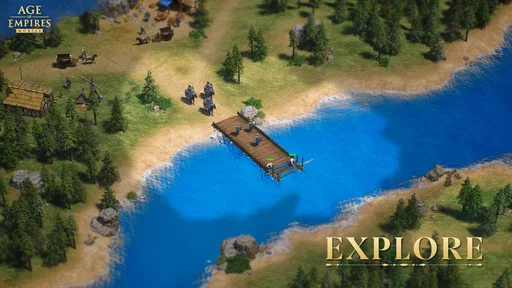
Visually, the game is stunning. The graphics are crisp, and the attention to detail is impressive. From the towering castles to the bustling markets, everything is beautifully rendered. It’s clear that the developers put a lot of love into making this game look and feel as epic as possible.
The sound design complements the visuals perfectly. The soundtrack is rich and immersive, capturing the essence of historical battles and grand empires. The clashing of swords and the rallying cries of your troops add to the immersive experience. Just make sure you have your headphones on; you wouldn’t want to miss a beat!
Those presentation choices help make the world inviting, but familiar scenery alone does not make it the same game as a classic PC entry. I would recommend it to someone who wants a medieval empire theme and a mobile-first way to engage with strategy. I would be more cautious with a player who mainly wants a close recreation of the old desktop formula, especially if precise real-time unit control is their main draw.
Strategic choices and everyday friction
Now, let’s talk strategy. This game isn’t just about building the biggest army; it’s about how you use it. Balancing resource management with military prowess is key. I found myself constantly adapting, learning from each battle, and refining my tactics.
There are plenty of challenges to keep you on your toes, from defending against relentless invaders to strategic assaults on enemy bases. The balance between offense and defense is crucial, and the AI is no pushover. Trust me, you’ll need to bring your A-game!
One practical habit I found helpful is to decide what I want a session to accomplish before I start: strengthen a vulnerable position, prepare for a conflict, or simply review my next move. It keeps resource decisions connected to a purpose and reduces the temptation to react to every possible threat at once. The downside is that strategic games can make a short visit feel like an obligation if you are constantly worrying about what might happen while you are away. Players who dislike ongoing competitive pressure should weigh that feeling carefully.
The game is free to download, with in-app purchases ranging from $0.99 to $99.99 per item. That range makes it worth setting a personal spending limit before buying anything, rather than deciding in the heat of a competitive moment. I would first spend time learning the basic loop and working out which parts I genuinely enjoy. Paying is not a substitute for understanding your strategy, and anyone who prefers a completely purchase-free experience may be more comfortable with a paid game that has a clearly self-contained structure.
What has changed, and what existing fans should expect
The clearest confirmed sign of the game’s evolution is its current version, 1.10.101.0, following its October 2024 release. That tells me the mobile product has moved beyond its launch build, but a version number by itself does not explain which systems changed or how a particular player’s progress is affected. I would avoid treating an update label as evidence of a specific balance adjustment or new feature unless the game itself explains it.
For existing players, the sensible approach is to check the in-game notices when a new version appears and then revisit any strategy that seems to behave differently. Even without assuming a particular change, a version update is a good moment to review your priorities, confirm that your usual routine still makes sense, and avoid committing resources based on an outdated assumption. For returning fans, the more important adjustment may be mental: this is a mobile adaptation with its own rhythm, not simply the old PC experience reduced to a smaller screen.
What I would watch over time is whether the game continues to make its strategic choices understandable for newcomers while keeping competition engaging for people who have already learned the basics. Clear explanations of changes matter in a game where players build habits around resource use and alliances. I would also pay attention to whether the pace feels comfortable for your schedule, rather than assuming that a popular strategy title will automatically suit the way you want to play.
Who I’d recommend it to
Ultimately, the game is most appealing to fans who enjoy building an empire, making gradual strategic decisions, and sharing competition with other players. It can also work for a newcomer who wants an accessible starting point and is willing to learn at a steady pace. The tutorial helps lower the barrier, and the touch controls make common actions straightforward, so prior expertise with the PC series is not essential.
I would skip it if what you want is a quick, self-contained match with no continuing social or competitive context, or if you expect mouse-like precision from a phone. It is also a weaker fit for someone who dislikes in-app purchases or feels pressured by games that encourage frequent attention. In those cases, a single-player strategy game with shorter, clearly bounded sessions may be a more satisfying alternative. Compared with the usual mobile strategy choices, this one has the recognizable Age of Empires setting and a stronger pull for players who want alliances and rivalries; a more traditional desktop RTS remains the better choice for direct, fine-grained control.
My final take
Ultimately, Age of Empires Mobile is a delightful adaptation of the classic we all adore. It stays true to its roots while embracing the convenience and accessibility of mobile gaming. Whether you're a die-hard fan or a curious newcomer, there's something here for everyone.
So, is it worth downloading? Absolutely! Grab your device, rally your troops, and embark on a journey to build your very own empire. Just a fair warning: once you start, it’s hard to put down. Happy conquering!
Pros
- Immersive graphics and sound design.
- Strategic gameplay with varied scenarios.
- Multiplayer mode enhances engagement.
- Regular updates with new content.
- User-friendly interface and controls.
Cons
- Requires a stable internet connection.
- In-app purchases can be costly.
- Battery drain on extended play.
- Limited offline features.
- Large storage space needed.
FAQs for Age of Empires Mobile
What are the system requirements for Age of Empires Mobile?
Age of Empires Mobile requires a device with at least 3GB of RAM and Android 8.0 or iOS 12.0 and above. Ensure your device has sufficient storage for the game’s initial download and future updates. A stable internet connection is also necessary for seamless gameplay and accessing multiplayer features.
Is Age of Empires Mobile free to play?
Age of Empires Mobile is free to download and play, offering in-game purchases for additional content, such as exclusive items and premium currency. These purchases can enhance your gaming experience, but they are optional. Make sure to check the settings for in-app purchase restrictions if needed.
How does multiplayer mode work in Age of Empires Mobile?
The multiplayer mode in Age of Empires Mobile allows you to team up with friends or compete against players worldwide. You can join clans, participate in events, and engage in real-time battles. A stable internet connection is required to ensure smooth gameplay and interaction with other players.
Can I play Age of Empires Mobile offline?
Age of Empires Mobile primarily requires an internet connection to access most features, including multiplayer and updates. While some tutorials or single-player missions might be available offline, the full experience, including syncing progress and accessing events, requires being online.
What age rating does Age of Empires Mobile have?
Age of Empires Mobile is rated for players aged 12 and above due to mild violence and strategic gameplay elements. It’s designed to be engaging for teenagers and adults alike. Parents might want to review the game content and in-app purchase options to ensure suitability for younger players.


